

EKM Source Data Export
Export EKM Products, Categories, Customers, and Orders in the required XML or CSV formats and keep the complete files ready for upload.
EKM Source Data Export
Section titled “EKM Source Data Export”Export each required data type from EKM’s Import/Export System. Use the same record-selection and field-selection sequence for Products, Categories, Customers, and Orders.
Supported Files
Section titled “Supported Files”The Supported Files table in the selected Next-Cart Source setup identifies these upload files. This table does not replace the export procedures below.
| Data | Expected upload filename |
|---|---|
| Category | Category.csv |
| Product | Product.xml |
| Customer | Customer.csv |
| Order | Order.csv |
Export the source data
Section titled “Export the source data”-
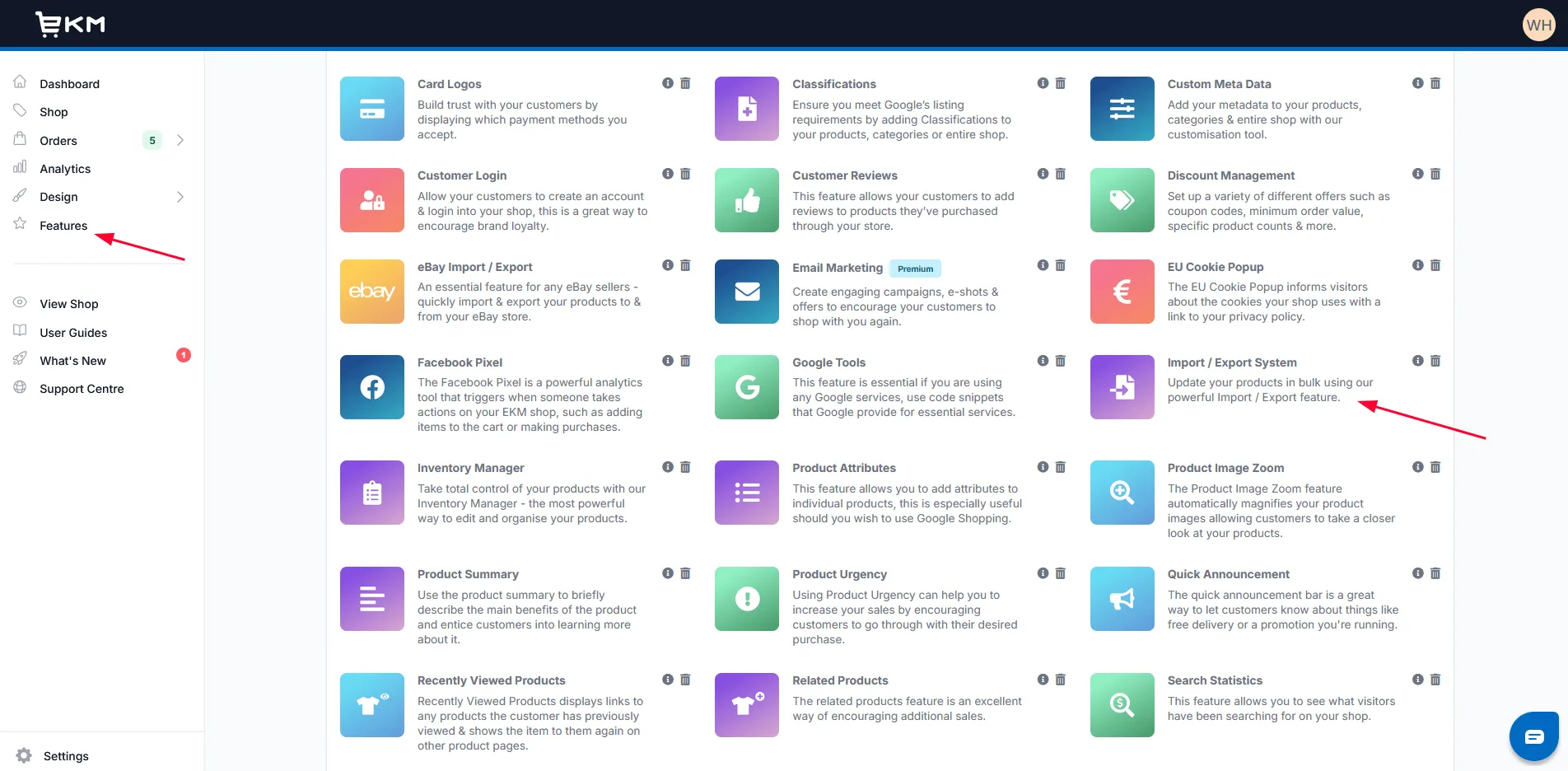
Sign in to EKM and open Features > Import/Export System.
-
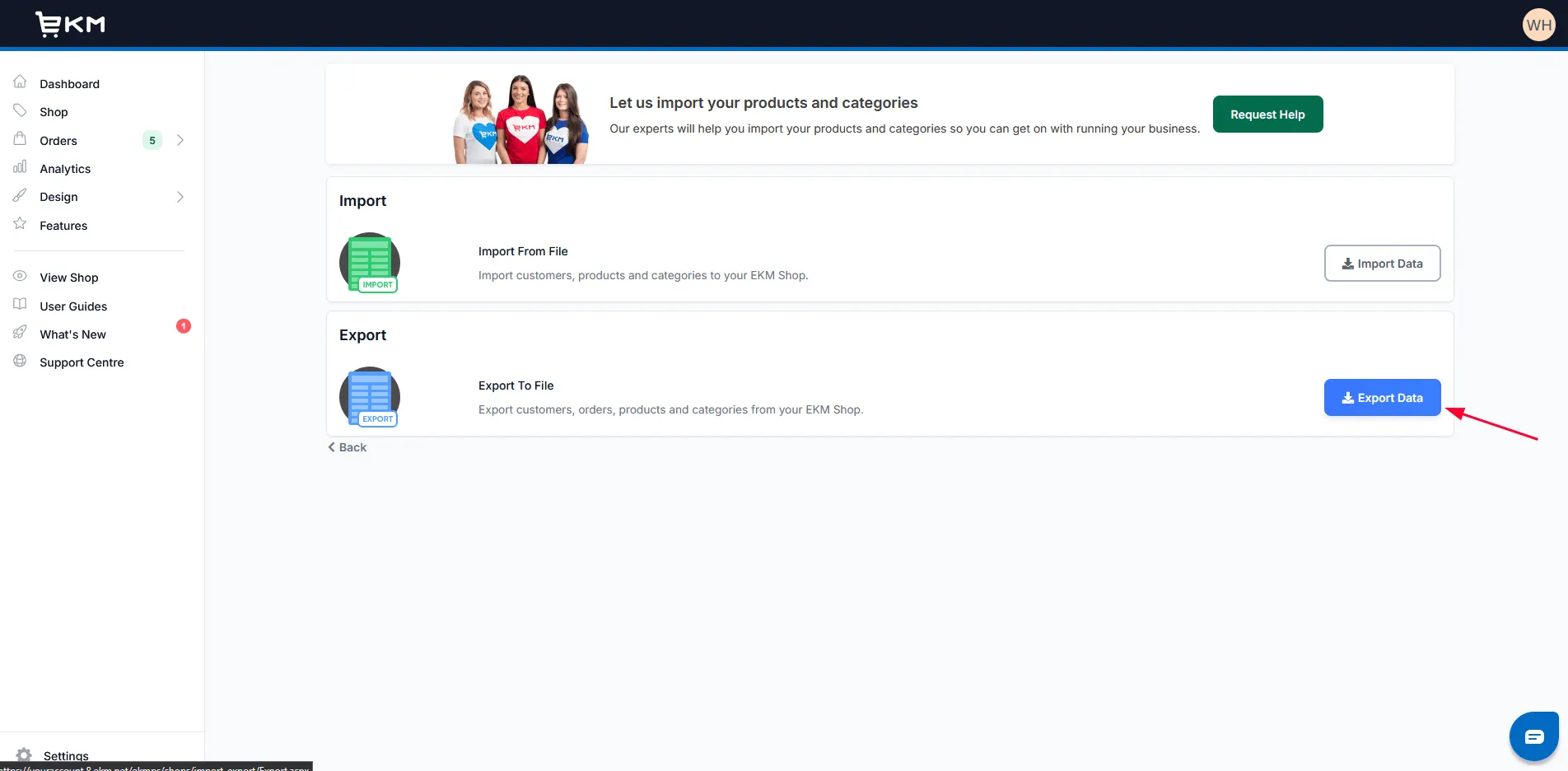
Click Export Data.
-
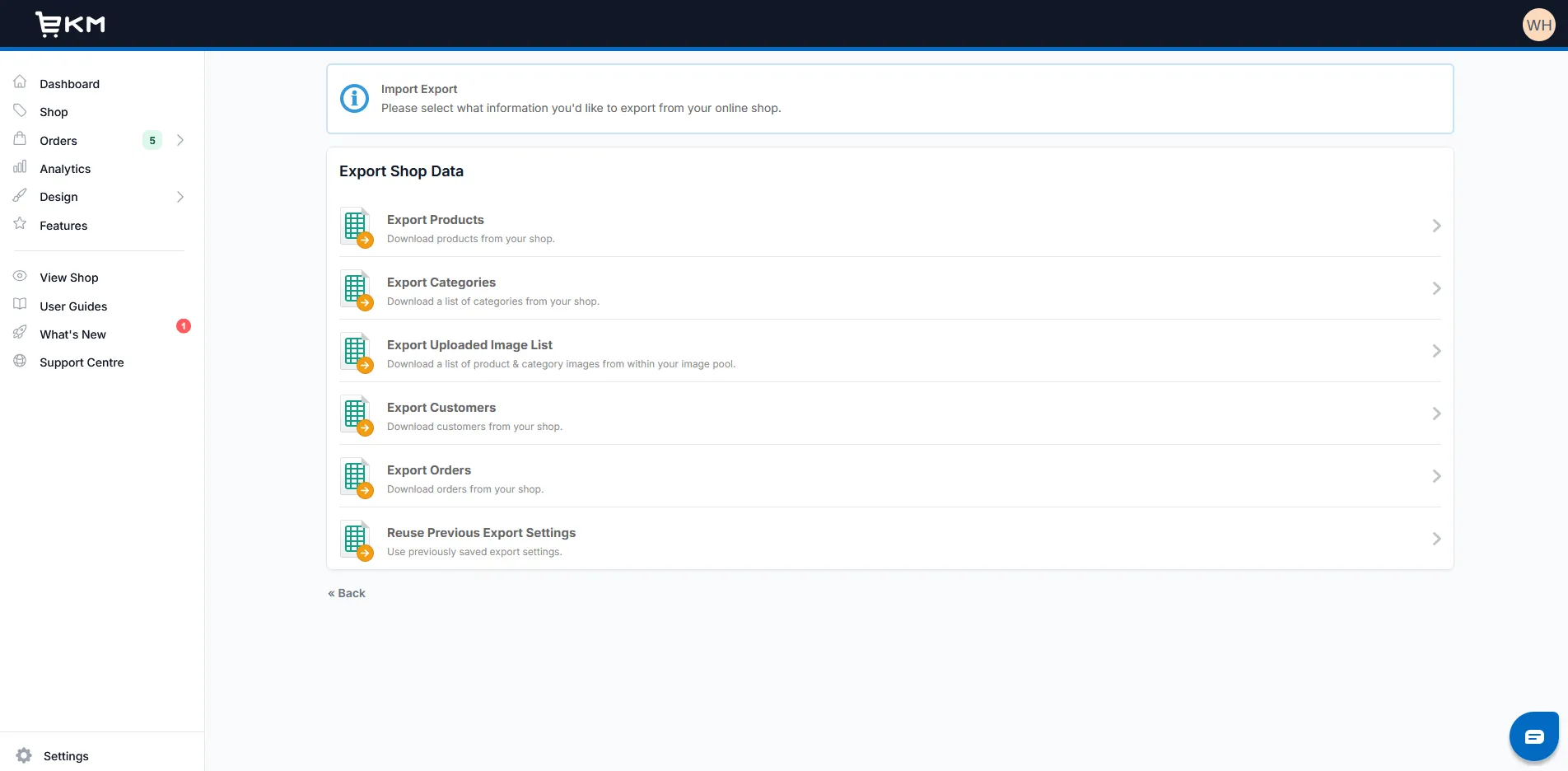
Select the data type to export: Products, Categories, Customers, or Orders.
-
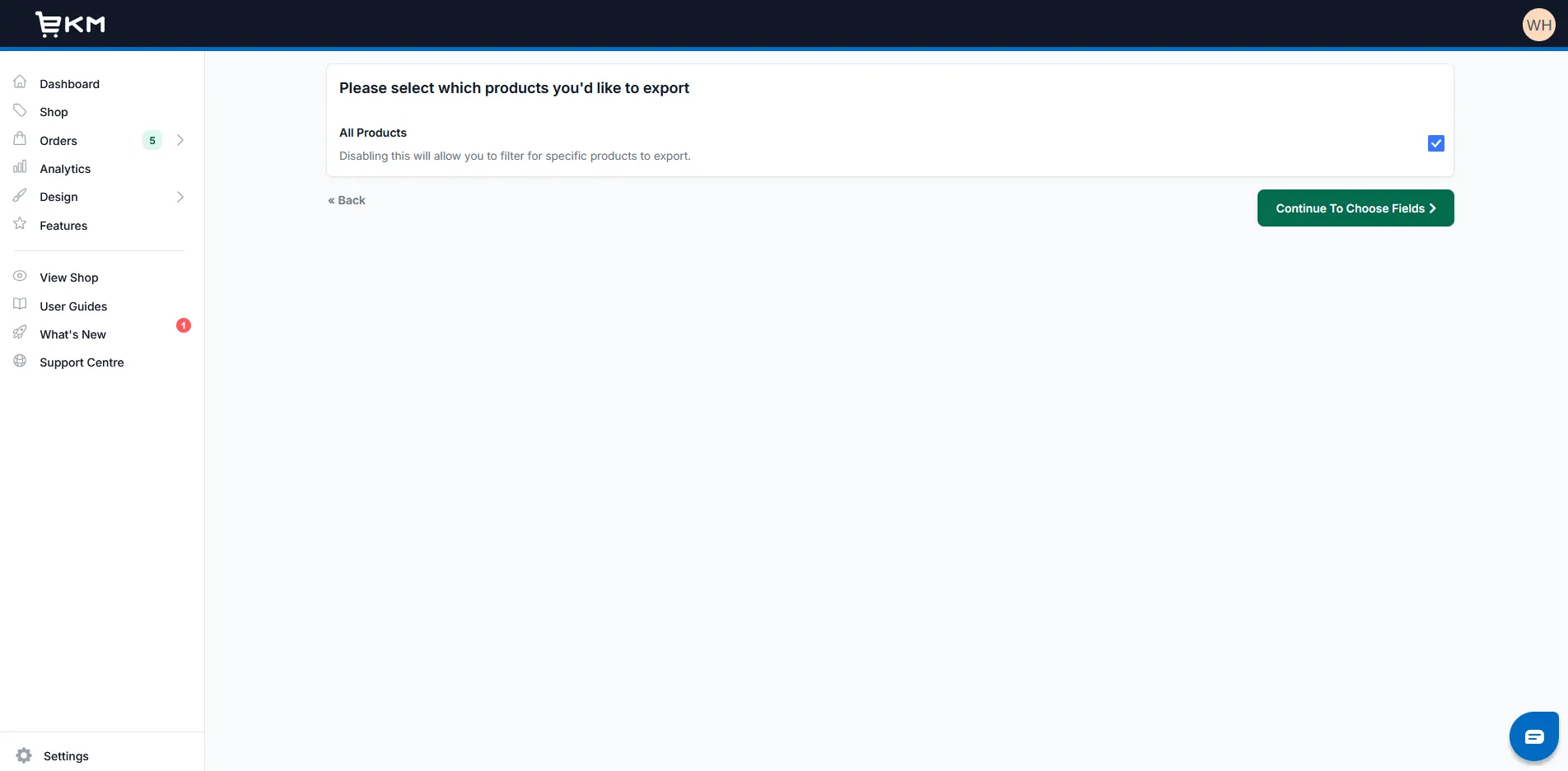
Choose All to export every record of that data type, or apply filters to select the records required for the migration. Click Continue To Choose Fields.
-
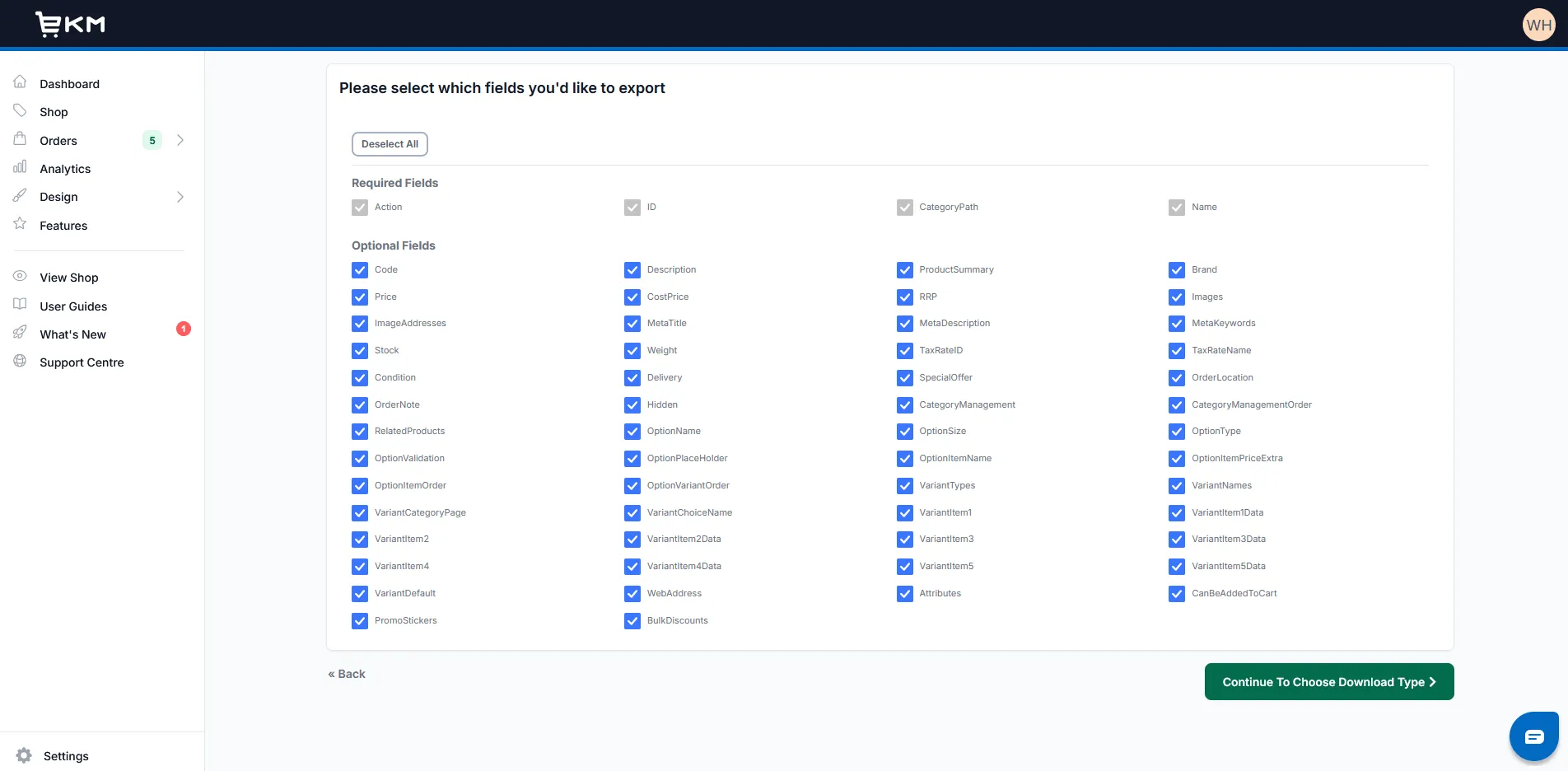
Leave all fields selected and click Continue To Choose Download Type.
-
Select the download format for the chosen data type:
Data type Download type Products XML File Categories CSV File Customers CSV File Orders CSV File 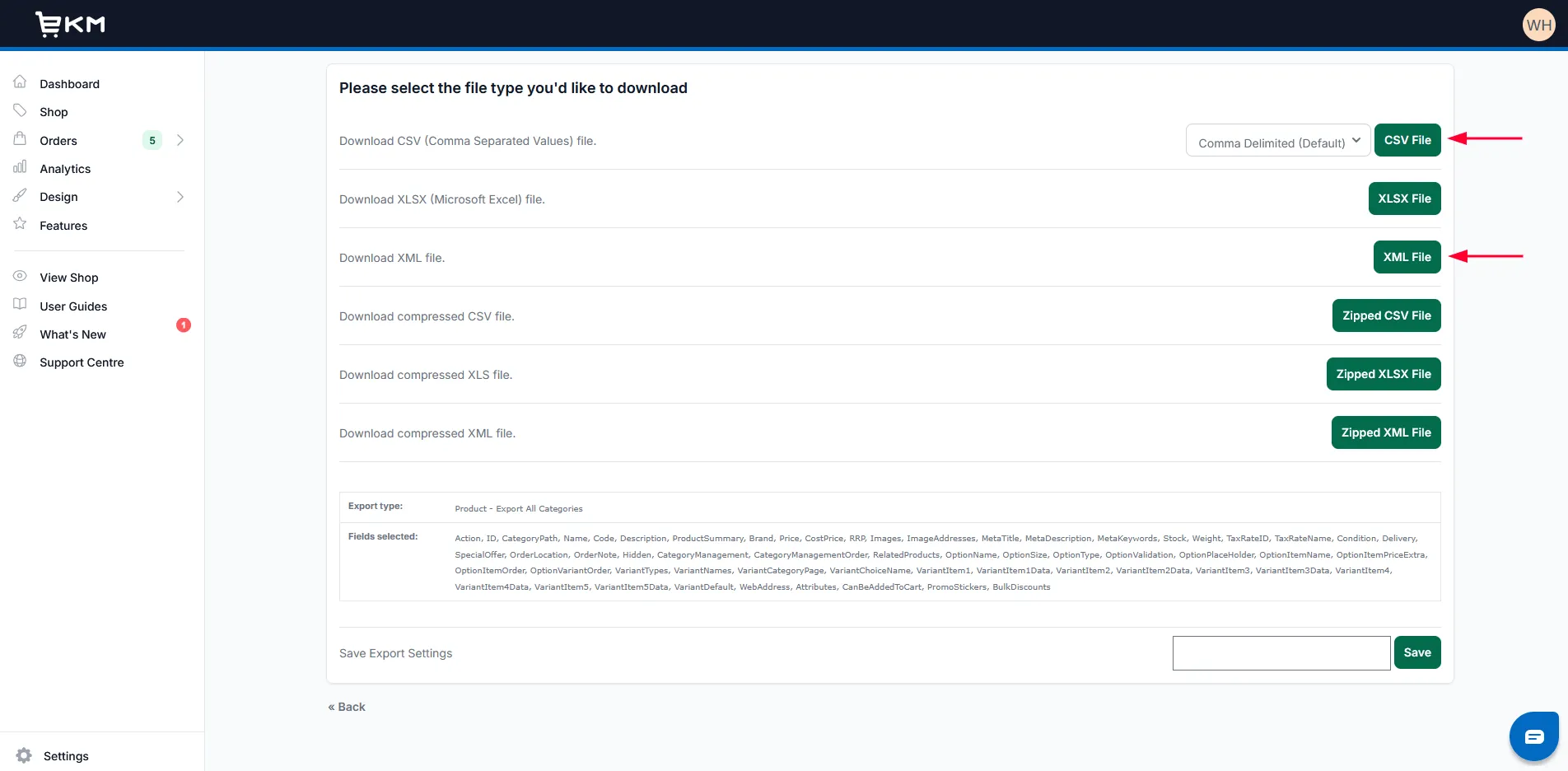
-
Wait for EKM to prepare the file, then click Please Click To Download.
-
Repeat the sequence for each remaining data type required for the migration.
Product and Category image information is already included in their respective exports; no separate image export is required in this procedure.
Use the EKM File Upload workflow
Section titled “Use the EKM File Upload workflow”EKM is prepared as a File Upload Source. The Source setup does not ask for an EKM API key. Export the required EKM files using the procedure above, keep the filenames and formats expected by Supported Files, and continue with the file upload workflow.
Do not create an API key solely because an older EKM procedure mentioned one. If the required EKM data cannot be represented by the supported exports, document the additional requirement through Prepare Custom Service Requirements.
Next Steps
Section titled “Next Steps”Continue with Upload Source Data Files to prepare and validate the exported files for the Source connection.