

Rain POS Source Data Export
Export Products and Categories, Customers, and Orders from Rain POS for migration.
Rain POS Source Data Export
Section titled “Rain POS Source Data Export”Sign in to Rain Admin and export the source data required for the migration. Rain POS uses separate export actions for Products and Categories, Customers, and Orders.
Export Products and Categories
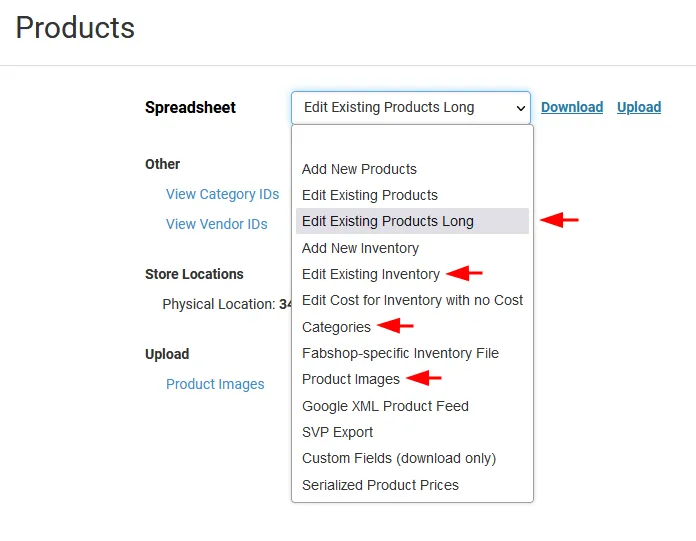
Section titled “Export Products and Categories”- From the left menu, go to Inventory > Bulk.
- Select and download these four spreadsheets:
- Edit Existing Products Long
- Edit Existing Inventory
- Categories
- Product Images
- Select the required date filter before clicking Download.
Export Customers
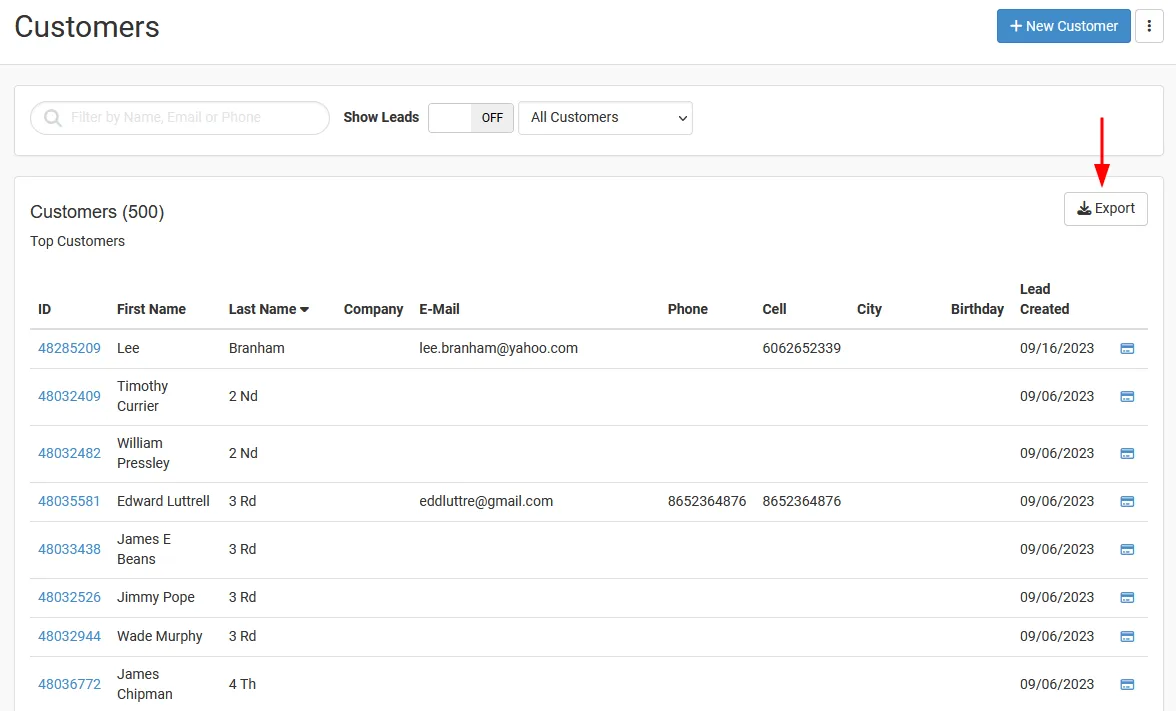
Section titled “Export Customers”- From the left menu, go to Customers > Customers.
- Click Export. Rain POS downloads a CSV file containing the customers.
Export Orders
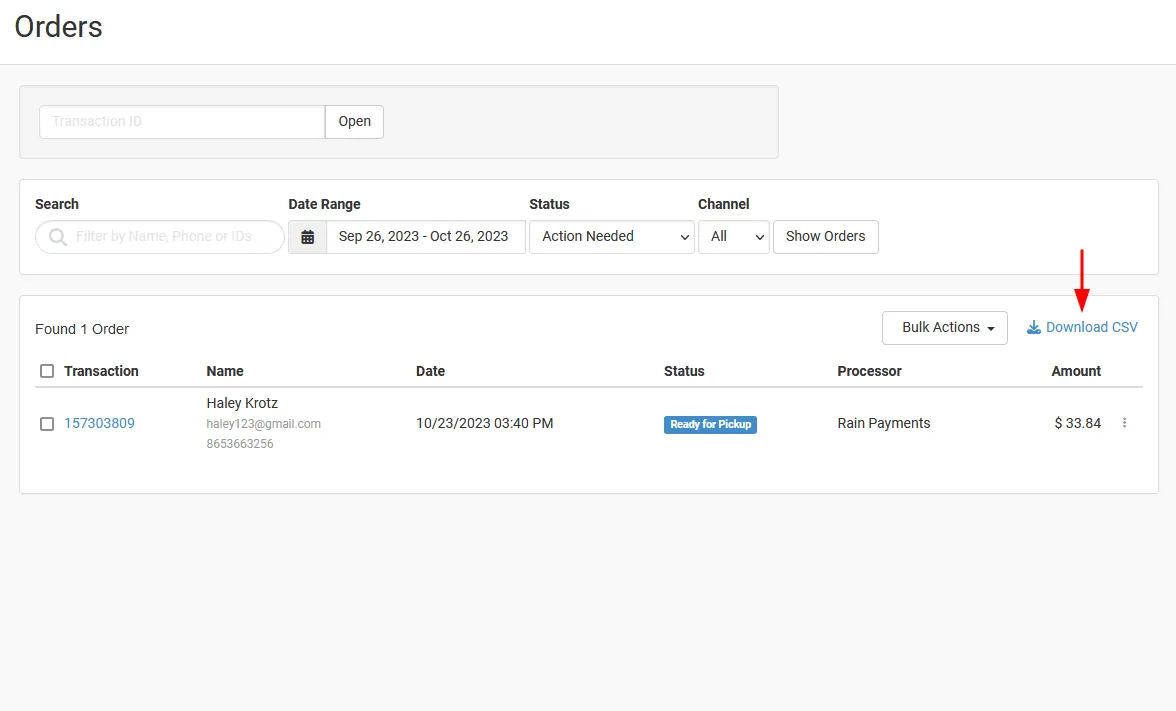
Section titled “Export Orders”- From the left menu, open Orders.
- Click Download CSV to download the Orders export.
Prepare the files for upload
Section titled “Prepare the files for upload”Keep the Rain POS export files unchanged after downloading them. Confirm that each required file belongs to the intended store and still uses the exported structure before upload.
Next Steps
Section titled “Next Steps”Continue with Upload Source Data Files to prepare and validate the exported files for the Source connection.