

Migration Actions and Additional Options
Distinguish Connect Stores migration actions, Additional Options, interruption recovery, additional-data processing, repeat-run rules, and one-way synchronization.
Migration Actions and Additional Options
Section titled “Migration Actions and Additional Options”Migration actions and Additional Options control different parts of a paid migration activity. Use the migration action in the Connect Stores step to decide how the next activity relates to earlier migration work. Use Additional Options in the Configuration step to control supported processing behavior for that activity.
Migration actions in the Connect Stores step
Section titled “Migration actions in the Connect Stores step”Each Migration Action has a shorter UI label in Connect Stores. Demo Migration is fixed to Start a new migration, corresponding to Perform a New Migration. A paid Migration that has never run also begins with that UI choice. After a paid Migration has run at least once, all three UI choices can become available.
| Migration Action | Exact UI label | Use it when | What happens next |
|---|---|---|---|
| Continue the Migration with Last Saved Configuration | Continue previous migration | The previous paid result remains useful and the next activity should reuse the last saved configuration. | Continue through the migration workflow using the previous migration context. Review the loaded configuration before starting when needed. |
| Continue the Migration with a New Configuration | Continue previous + reconfig | The previous paid result remains useful but the next activity needs configuration changes. | Continue to the Configuration step, review the supported settings, then proceed to the Migration step. |
| Perform a New Migration | Start a new migration | The activity needs a fresh migration cycle instead of continuing the earlier result. | Complete the full Configuration flow for the new cycle. This does not reset the purchased path, Store URL locks, Entity Points usage, or service validity. |
What the migration action does not decide
Section titled “What the migration action does not decide”A migration action does not by itself:
- resume a browser-paused or manually stopped execution session;
- select the processing behavior for additional new Source data;
- reverse the purchased migration direction;
- clear Target Store data;
- reset Store URL locks;
- change the fixed Source Platform to Target Platform path;
- create new Entity Points capacity.
Use the separate controls that own those decisions.
Interruption recovery
Section titled “Interruption recovery”Run in Browser
Section titled “Run in Browser”When a paid migration is running in Run in Browser mode:
-
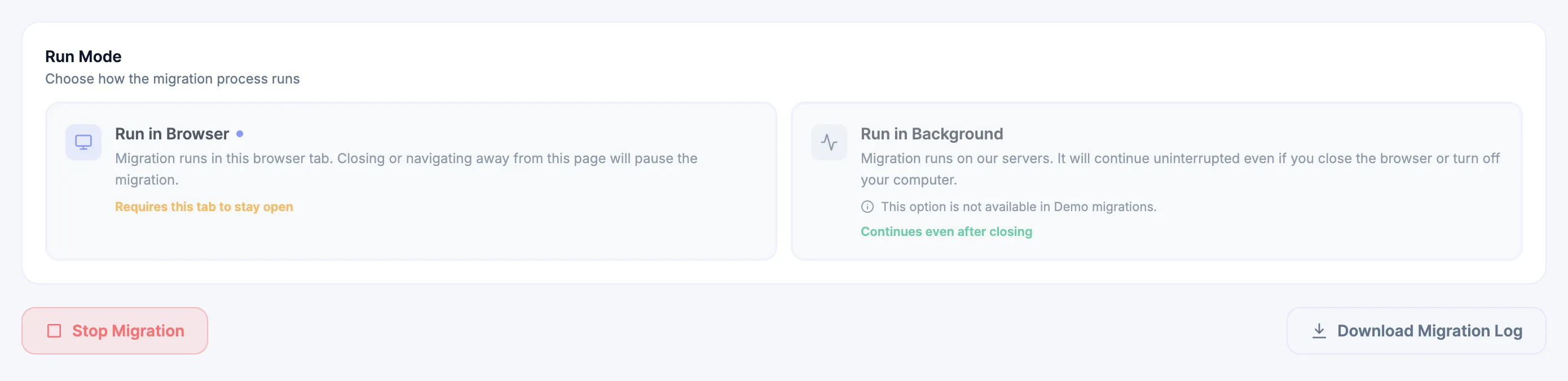
closing the active tab or navigating away pauses processing;
-
Stop Migration intentionally stops the active run;
-
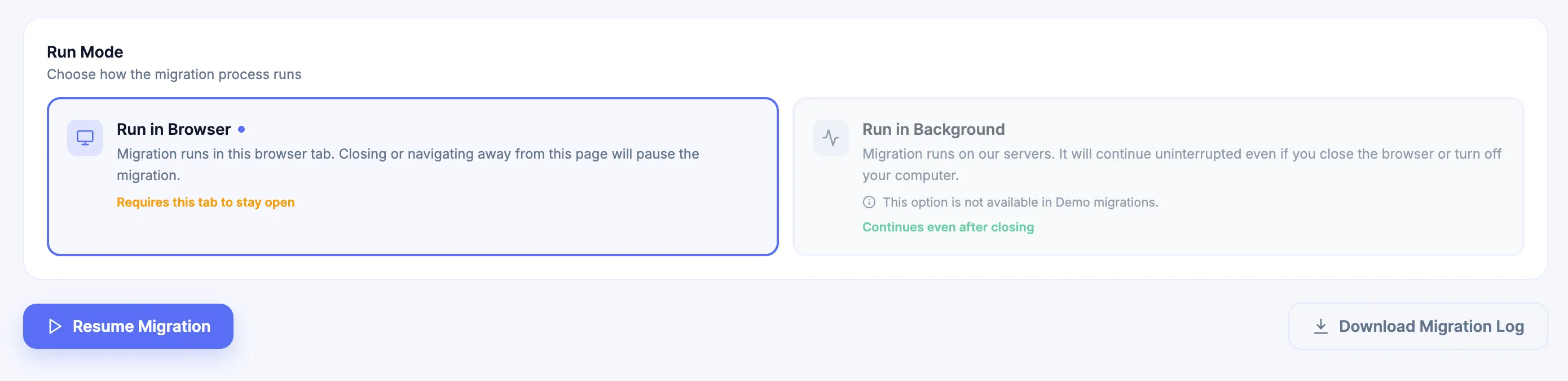
Resume Migration continues the same stopped execution while that activity remains open.
If the active page has been closed or you navigated away, return through My Migrations, select the project, and click Start. Continue through the Connect Stores step → Configuration step → Migration step and select Continue previous migration or Continue previous + reconfig according to the intended configuration. Selecting Start a new migration corresponds to Perform a New Migration and creates a fresh migration cycle instead.
Run in Background
Section titled “Run in Background”When a paid migration is running in Run in Background mode, processing continues on Next-Cart servers even if the browser is closed or the computer is turned off.
- Stop Migration and Resume Migration control the active execution while the Migration page is open.
- If the background activity is still running after the page is closed, open My Migrations, select the project, and click Start. Next-Cart returns to the active Migration step so the customer can monitor the activity or stop it.
- If the migration was manually stopped and the page was then closed, return through the full Connect Stores step → Configuration step → Migration step flow and choose a Continue action.
Use Start and Monitor Migration for the operating procedure.
Additional Options are separate
Section titled “Additional Options are separate”Inside Configuration → Additional Options, Next-Cart can display:
- general Migration Options;
- dynamic Source Store options for the selected Source Platform;
- dynamic Target Store options for the selected Target Platform.
The visible set depends on the active migration path. Use Additional Options for the option definitions and configuration procedure.
Migrate additional new data and preserve relationships
Section titled “Migrate additional new data and preserve relationships”To migrate additional new Source data into a dataset that was migrated earlier, use the controls together:
- Open the same paid Migration in My Migrations.
- In the Connect Stores step, select Continue previous migration to reuse the last saved configuration, or Continue previous + reconfig to reopen the Configuration step.
- Click Continue to Configuration when the selected action opens the Configuration step. If Continue the Migration with Last Saved Configuration routes directly to the Migration step, use Edit Config when Configuration must be reviewed before starting.
- In Additional Options, enable Continue the previous migration.
- Select the supported data types required for the additional-data activity and review the rest of Configuration.
- Continue to the Migration step, choose the appropriate Run Mode, and start the activity.
- Validate the newly imported records together with the supported relational links to Products, Categories, Customers, Orders, and other data migrated earlier.
The two controls have different jobs:
- Migration Action: determines whether the previous configuration is reused or changed.
- Continue the previous migration: for ordinary new-record processing, carries the state of the most recent migration forward. For selected supported data types, later activity processes records that were not transferred in the previous migration while supported relationships can use the carried context.
Neither control resumes an interrupted execution.
Use the same combination for a pre-go-live pass when new Source Store activity must be transferred before launch.
One-way synchronization per migration path
Section titled “One-way synchronization per migration path”A purchased Migration is unidirectional. Data moves only from the configured Source to the configured Target for that path, including:
- site to site;
- file to site;
- site to file, when the supported migration path provides that direction.
Use Continue the Migration with Last Saved Configuration or Continue the Migration with a New Configuration for a later one-way activity on the same path. When the activity must import additional new Source data while preserving supported relationships to the earlier migrated dataset, also enable Continue the previous migration in Additional Options.
A reverse flow requires a separate Migration configured and purchased for the opposite direction. One Migration cannot operate both A → B and B → A.
This is not an always-on synchronization subscription. Customers can run supported migration activities manually. With Managed Migration or Custom Migration with Expert Handle, Next-Cart technical specialists can perform the applicable activity on request within the active service and agreed scope.
Repeat migration activity and service boundaries
Section titled “Repeat migration activity and service boundaries”A purchased Migration can be executed as many times as needed while the Migration remains active. There is no separate fixed run-count cap.
Every run remains governed by the fixed purchased Migration Path, every established Store URL lock, the supported scope, and the available Entity Points Plan capacity.
For Entity Points counting, records already migrated successfully under the same purchased Migration and fixed Migration Path do not consume Entity Points again merely because a later supported migration activity processes them again. Only newly eligible counted records consume their Entity Points weight when they first migrate successfully.
Store URL locks during repeat runs
Section titled “Store URL locks during repeat runs”Apply the URL-field rules exactly:
- Source setup has a Store URL field: after the successfully connected setup proceeds to the Configuration step, every later run must use the locked Source Store identity. The Target Store URL remains flexible when the Target setup uses a URL field and no separate Target lock has been established.
- Source setup has no Store URL field and Target setup has a Store URL field: proceeding to the Configuration step with the successfully connected setup establishes the Target Store URL lock. Later runs must use that locked Target Store identity.
- Neither Source nor Target setup has a Store URL field: no URL lock is created for either side.
- Multi-edition platforms: a project can accumulate concurrent Source and Target URL locks when successive connected edition/setup combinations proceed to the Configuration step and expose different URL fields. Every established lock must then be satisfied by later runs.
Use Store URL Locking and Store Identity for the complete lock model.
Migrating different data at different times
Section titled “Migrating different data at different times”The first paid migration does not need to be the only time data is transferred. Later activities can migrate supported data types that become relevant after the first result, subject to the purchased path and capacity.
When later Source Store activity such as new Orders, Customers, Products, or other supported records must be transferred, use a Continue action together with Continue the previous migration rather than treating the two stores as continuously synchronized.
For changed fields on eligible existing records, configure Data Update with continuation enabled and Target clearing disabled. Continuation alone does not refresh existing fields.
Controls that remain independent
Section titled “Controls that remain independent”| Control | Separate purpose |
|---|---|
| Continue the previous migration in Additional Options | Carries the most recent migration state for ordinary new-record processing and supported relationships. It is also a prerequisite for Data Update; the Add-on selects eligible existing records independently. |
| Clear data on your Target Store before the Migration | Deletes applicable Target Store data before import when the option is displayed and enabled. |
| Run Mode | Determines browser-dependent or server-side execution. |
| Stop Migration / Resume Migration | Controls the state of an active/stopped execution session. |
| Entity Points Plan | Provides counted-record capacity. |
| Data Update | Refreshes selected supported fields on eligible existing previously migrated records, independently of the four-stage Add-on sequence. |
| Data Filter | Applies purchased field-level conditions to determine which records migrate. |
| Store URL locks | Bind the purchased Migration to the store identities established when the connected setup proceeds to the Configuration step. |
Validation after later activity
Section titled “Validation after later activity”After a Continue activity, validate both the new result and representative earlier migrated data. When Continue the previous migration was enabled, also validate the supported relationships between newly imported entities and the data migrated earlier. Check:
- record counts and identities;
- Product, Category, Customer, and Order relationships;
- totals, statuses, taxes, media, and custom fields affected by the activity;
- URL/SEO behavior where applicable;
- previously accepted target records that should remain unchanged.
For Data Update, compare selected field values and check preservation of non-selected fields and unrelated data.
Completion status proves processing state, not business correctness.