

BigCommerce API Connection
Create a store-level BigCommerce V2/V3 API token and prepare the Store URL, API Path, Client ID, and Access Token required by Next-Cart.
BigCommerce API Connection
Section titled “BigCommerce API Connection”Use the store owner account to create the store-level API account. BigCommerce permits only the store owner to create these credentials.
Get the connection details
Section titled “Get the connection details”-
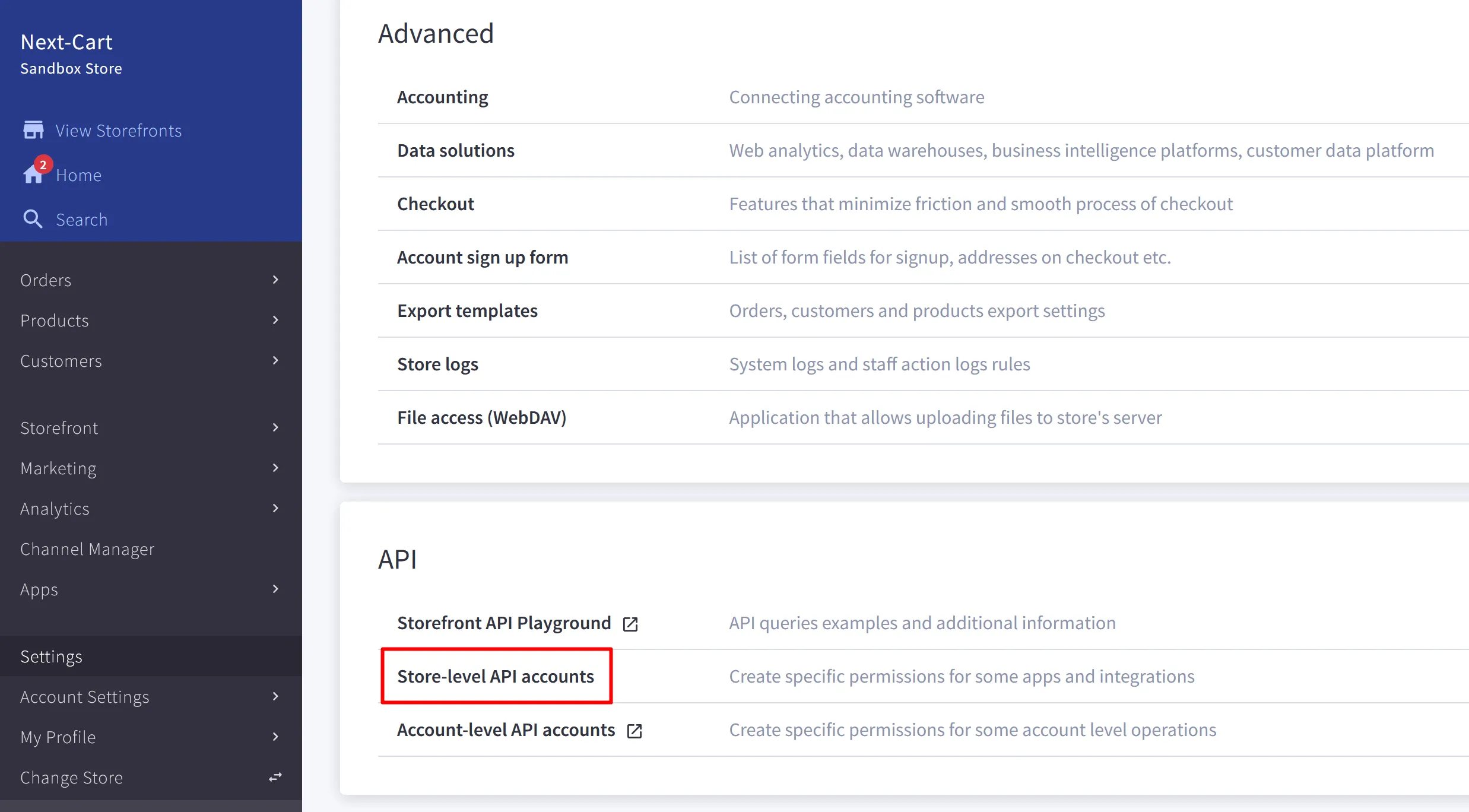
Sign in as the store owner. Open Settings and select Store-level API accounts near the bottom of the page.
-
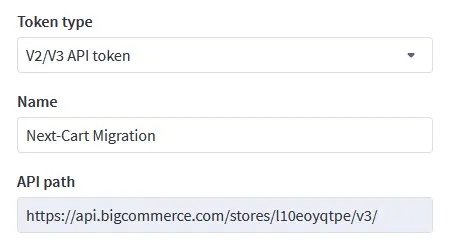
Click Create API account. Select V2/V3 API token for Token type, enter a name, and copy the API path.
-
Set the OAuth permissions below. Use Read-only when BigCommerce is the Source Store and Modify when it is the Target Store.
OAuth scope Data or requirement Content Required. Customers Customer data. Information & Settings Required. Marketing Required. Orders Order data. Products Product data. Channel Settings Required. Channel Listings Required. Store Locations Required when migrating Products. Store Inventory Required when migrating Products. 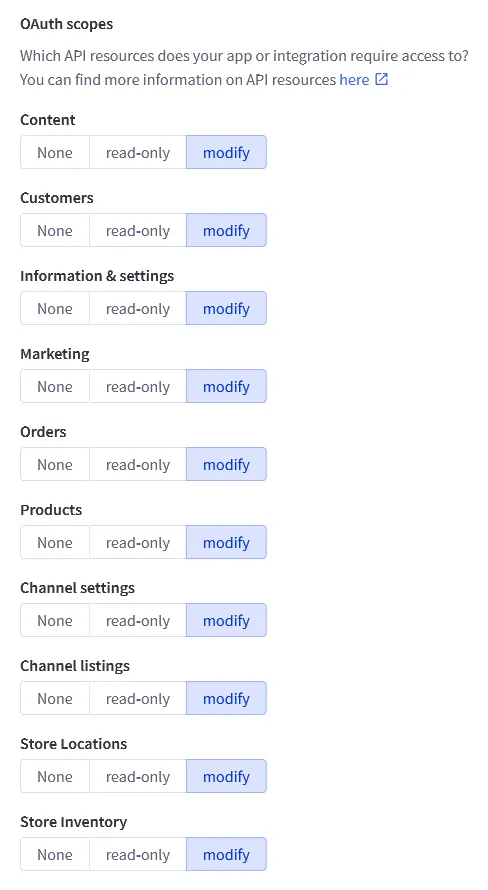
-
Click Save. BigCommerce downloads a
.txtcredentials file and displays the credentials in a pop-up.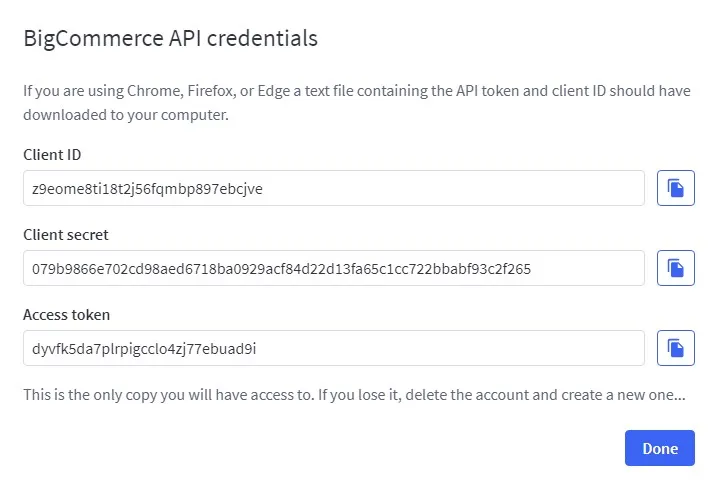
-
Record the API path, Client ID, and Access Token for the API account. Client Secret is not required for the Next-Cart connection.
Enter the values in Next-Cart
Section titled “Enter the values in Next-Cart”| Next-Cart field | Value to enter |
|---|---|
| Store URL | The BigCommerce store URL. |
| API Path | The API path from this store-level API account. |
| Client ID | The generated Client ID. |
| Access Token | The generated Access Token. |
Verify this connection
Section titled “Verify this connection”Use Test Platform Connections for optional access verification. A successful test shows Connected. If the platform remains Not connected, use the shared recovery checks before continuing.