Skip to content
Back to Site

AmeriCommerce API Connection

Prepare AmeriCommerce API access details for the Next-Cart migration service.

A valid AmeriCommerce API connection gives Next-Cart the authorized platform access required by the selected migration path.

The goal is to create or locate an access token that allows Next-Cart to test access to the selected AmeriCommerce store.

Use this guide when:

  • the selected platform is AmeriCommerce;
  • Next-Cart asks for API connection details;
  • you can access the AmeriCommerce admin;
  • you can create or manage API apps and integrations.
RequirementWhy it matters
Admin accessYou need to create an API app or integration.
Permission to manage apps and integrationsThe Access Token is generated from the app or API integration area.
Migration scopePermissions should cover the data types you need to migrate.
Secure storageCopy the token directly into Next-Cart and avoid sharing it through insecure channels.
ValueWhere to find itNotes
Store URLAmeriCommerce store URL.Use the exact store connected to the migration path.
Access TokenAPI Apps & Integrations area after the app is created.Copy it immediately and store it securely.
  1. Sign in to the AmeriCommerce admin.
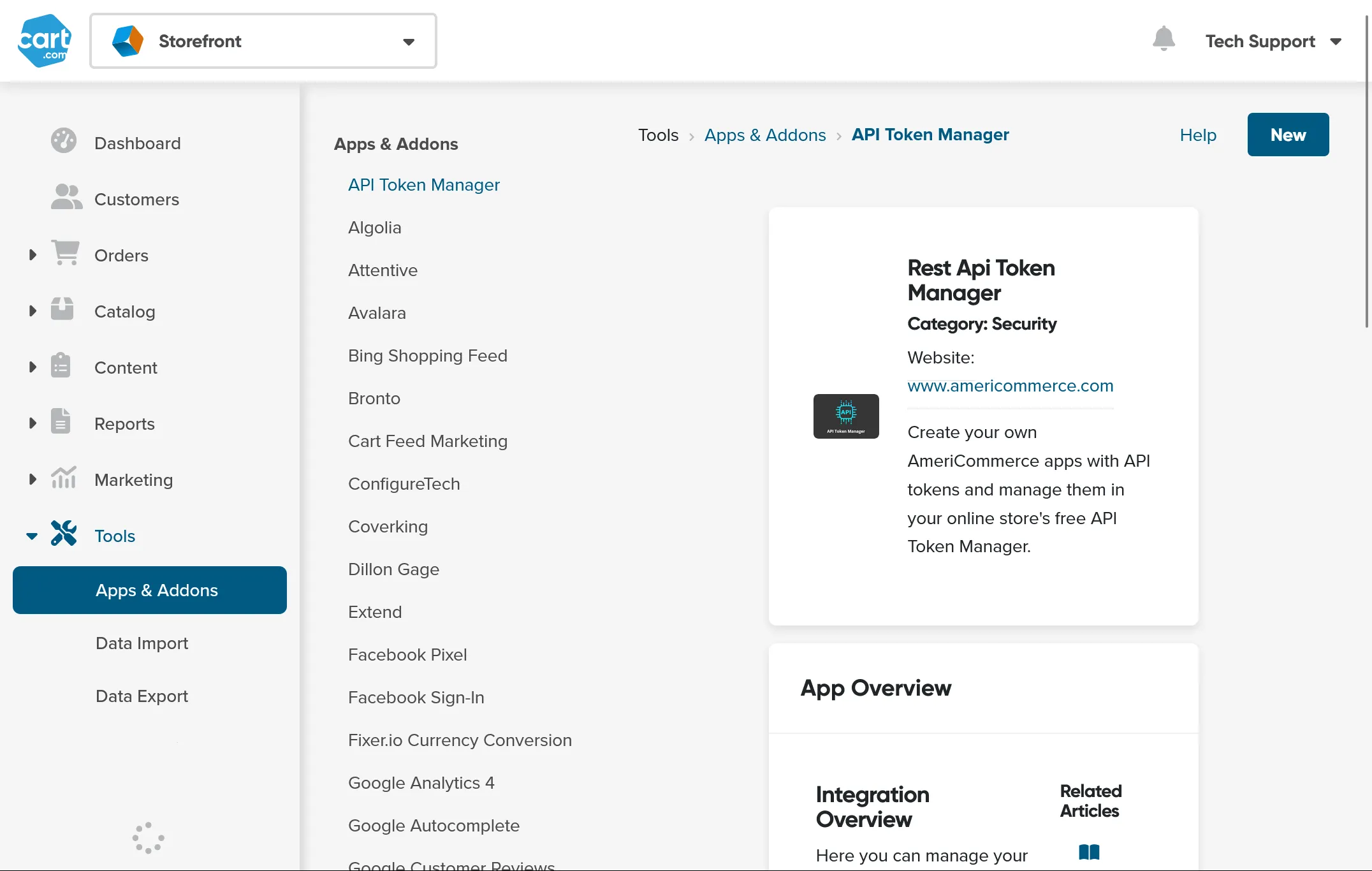
  2. Go to Tools.
  3. Open Apps & Addons.
  4. Open API Apps & Integrations.
  5. Create a new API app.
  6. Give the app a clear name such as Next-Cart Migration.
  7. Use Single Token Flow if the authentication method is requested.
  8. Grant access to Customers, Orders, Catalog, Products, and any other data types included in the migration scope.
  9. Save the app.
  10. Copy the Access Token shown after saving.

In Next-Cart, enter the AmeriCommerce Store URL and Access Token.

Use the token generated for the store included in the purchased migration path.

Next-Cart has the AmeriCommerce connection details required for connection testing.

CheckPass condition
Store URLThe URL opens the intended AmeriCommerce store.
Token copied correctlyThe token is copied exactly as shown.
PermissionsThe app grants access to the selected data types.
Connection testNext-Cart verifies the connection without authentication or permission errors.
IssueWhat to check
Token rejectedCreate a fresh token and copy it again.
Missing data permissionsReview the app permissions and grant read access to required resources.
Wrong store URLConfirm that the Store URL belongs to the intended AmeriCommerce store.
App disabled or deletedConfirm the API app still exists and is active.
Security restrictionConfirm the store does not block API access needed for connection testing.

After migration work is complete and verified, delete or disable the API app or token if it is no longer needed.

SituationGo to
API values are readyVerify Platform Connections
You need general API setup guidanceSet Up an API Connection
The connection test failsTroubleshoot Connection Setup